How to Humanize AI Text Online
Humanize AI Text in 3 simple steps. Paste text or upload documents, refine tone and structure,
and export more natural, human-like content in seconds..
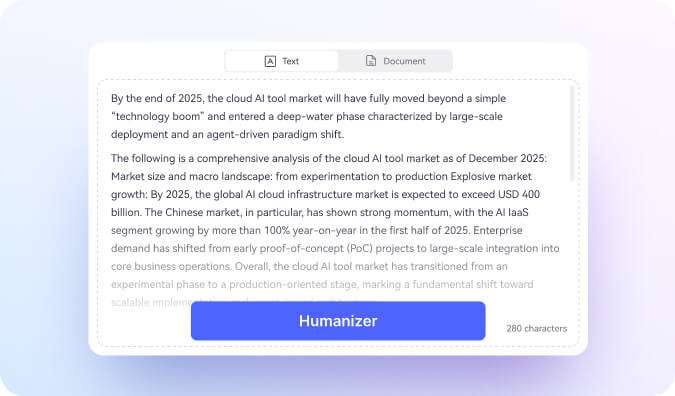
Input Your Content
Copy and paste AI-generated text directly, or upload a file in PDF, Word, PPT, or TXT format.
Click “Humanize”
Click “Humanize” to start AI text humanization. The system refines sentence structure, tone, and language flow to create more natural, human-like writing.
Review and Export
See a side-by-side comparison of the original and humanized versions. Check the detailed assessment report, then copy the optimized text or download it as TXT.
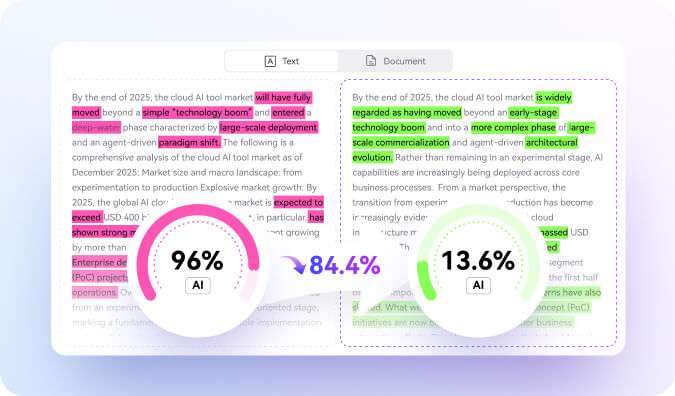
Before & After: AI Humanizer in Action
See how our AI Humanizer transforms robotic, detectable AI content into authentic, natural writing across different use cases.
Why choose our AI Humanizer?

Free Online AI Humanizer
Humanize AI-generated text instantly with no login required. Flexible usage limits make it easy to test, with scalable plans available for frequent users.

Advanced AI Language Refinement
Powered by advanced language modeling, it improves tone, sentence flow, and structural clarity to deliver smoother, more natural writing.

Clear Side-by-Side Comparison
Compare the original and humanized versions side by side, so you can easily review changes before copying or exporting.

Detailed Improvement Report
Each result includes a structured evaluation of tone, clarity, sentence flow, and overall readability.

Supports Text and Documents
Paste text directly or upload PDF files – no format conversion needed.

Fast, Secure Processing
Most results are ready in seconds. All files are processed securely and automatically deleted after completion.
FAQs about humanizing AI text
-
What is an AI Humanizer and how does it work?An AI Humanizer is a tool that takes text generated by AI models – like ChatGPT, Claude, or Gemini – and rewrites it to sound natural, authentic, and human-written. It works by analyzing patterns that AI detectors flag (such as overly formal phrasing, predictable sentence rhythm, and hollow filler phrases), then restructuring the content using advanced NLP models trained on millions of authentic human texts. The result reads like genuine human writing while preserving your original meaning and keywords.
-
Does it guarantee passing AI detection tools?
No. An AI Humanizer does not guarantee that AI-generated text will pass AI detection tools or become undetectable by AI content detectors. Every AI detector uses its own algorithms, training data, and scoring standards, so detection results can differ.
HiPDF AI Humanizer is designed to improve tone, sentence flow, and overall readability, helping AI-written content sound more natural and human-like. Final AI detection outcomes depend on the specific AI detection software and how it analyzes the text.
-
Is the AI Humanizer really free? What are the limits?
Yes. HiPDF AI Humanizer offers free online access with usage limits. You can humanize AI-generated text without installation, and trial usage depends on your account type. Higher-tier plans provide increased limits for frequent users and larger workloads.
-
Can I humanize AI-generated documents?
Yes. In addition to pasted text, HiPDF AI Humanizer supports document humanization. You can upload files in formats such as PDF, and the tool will refine the content while preserving the original meaning and structure.
-
Can I export the humanized content?
Yes. After processing, you can copy the humanized text directly or download it as a file. Export options typically include formats like TXT, making it easy to reuse or share the improved content.
-
What is the difference between AI rewriting and AI humanizing?
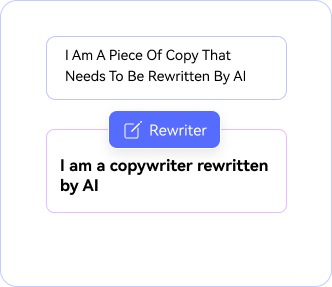
AI rewriting focuses on changing wording or sentence structure, often to paraphrase content. AI humanizing, on the other hand, goes beyond simple rewriting. HiPDF AI Humanizer analyzes tone, rhythm, and language patterns to make AI-generated text sound more natural, authentic, and human-written—while keeping the original meaning intact.
More AI PDF Tools Than the AI Humanizer.
Explore more AI tools in HiPDF.

Free online PDF tools for all purposes

HiPDF Online Tools rating:

4.8
(188,357 Votes)Rate us after uploading & downloading 1 file! We’ve already perfectly processed 307,292,373 files with a total size of 10,124 TB
Content Creator
I use AI tools to draft blog posts quite a lot, but sometimes the tone comes out a bit stiff. This AI Humanizer smooths things out and makes the writing feel more conversational. I especially like the side-by-side view – it makes it easier to pick the version that sounds right.
Small Business Owner
I usually run my AI-generated product descriptions through this before publishing. It helps clean up the wording without changing what I’m trying to say. It’s straightforward and fits well into my workflow for managing store content.
Marketing Assistant
What stands out to me is the improvement report. It doesn’t just rewrite the text – it shows what changed in terms of tone and readability. That extra transparency makes a difference
Remote Professional
I often draft emails with AI, but they can feel a little mechanical. Running them through this tool helps them sound more natural. It definitely cuts down on the time I’d normally spend editing.
Graduate Student
I’m not looking to change my ideas—just to make the wording sound more natural. This helps soften that obvious “AI tone” while keeping my structure the same.
Freelance Writer
Uploading Word documents directly is a huge plus. I don’t have to copy long text manually. It works fast and keeps formatting clean.