Convert URL to PDF for Free
Convert any URL to PDF online in one click. This fast and simple URL to PDF converter lets you turn web pages into high-quality PDF files instantly.
Or drag & drop your file to convert HTML file to PDF format
 No installation or registration required.
 Safeguard your security and privacy.
 Convert any web page to PDF in one click.
How to convert Link to PDF online?
Just copy and paste a URL to convert it to PDF online. No need to open the page and use the print-to-PDF workflow—get your web content as a PDF in seconds.
Paste a valid URL into the link to PDF converter.
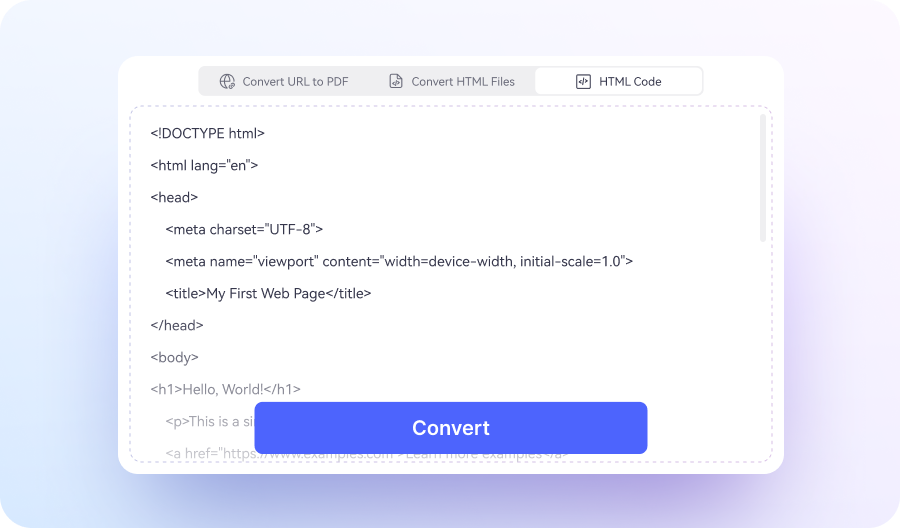
Click Convert to convert the web page to a clean, high-quality PDF.
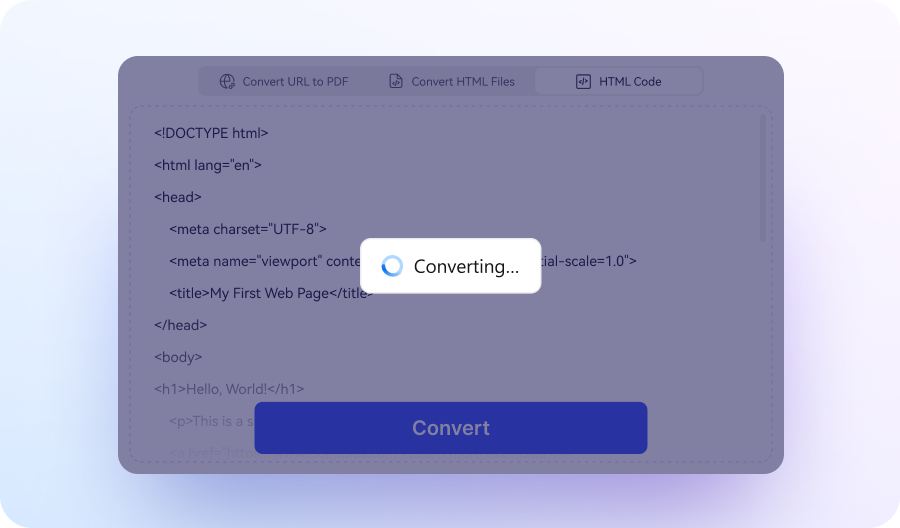
Once the progress reaches 100%, download your PDF file instantly.

Why choose our URL Link to PDF converter?

Free & Accessible Anytime
Convert any web page to PDF for free, no downloads or registration required.

Fast, One-Click Conversion
Paste a URL and convert it to PDF in seconds with a simple, one-click process.

High-Quality Output
Convert web pages to clean, professional PDF documents with accurate formatting.

Time-Saving Convenience
Convert URL to page in seconds, without manual copying, printing, or formatting.

Multiple Conversion Modes
Convert web pages to PDF in 3 ways: paste a URL, upload HTML files, or convert HTML code to PDF.

Versatile PDF Tools
Access a full suite of PDF tools on HiPDF, including merge, split, annotate, edit, and file conversion features.
FAQs about converting code to PDF.
-
Which HTML code to PDF converter is the best?
The best HTML code to PDF converter is one that delivers accurate rendering, fast processing, and flexible input options. Tools like HiPDF HTML Code to PDF Converter stand out for converting HTML code to PDF online with clean formatting and no setup required.
When choosing the best HTML code to PDF converter, look for:
- Accurate rendering: Preserves HTML layout, styles, fonts, and spacing
- Multiple input options: Supports HTML code, HTML files, and URL to PDF conversion
- Online and free access: Convert HTML code to PDF online without installation
- Fast conversion: Generate PDF documents in seconds
- Secure processing: Protects your code and data during conversion
A reliable HTML code to PDF converter should make it easy to convert raw HTML code to professional PDF documents while maintaining high-quality output.
-
Can I convert HTML code to PDF?
Yes. You can convert HTML code to PDF using an online HTML code to PDF converter.
How to convert HTML code to PDF:
- Paste your HTML code into the converter
- Click Convert to process the code
- Download the generated PDF file
Key capabilities:
- Convert raw HTML code to PDF online instantly
- Preserve layout, styles, fonts, and structure
- No installation or setup required
Tools like HiPDF HTML Code to PDF Converter make it easy to convert HTML code to PDF and generate clean, professional PDF documents in seconds.
-
How to convert JavaScript code to PDF?
You can convert JavaScript code to PDF by first rendering it as HTML, then using an HTML to PDF converter.
Steps to convert JavaScript code to PDF:
- Embed your JavaScript code inside an HTML file (so it can be rendered in a browser)
- Open the file in a browser or paste the HTML + JavaScript into a converter
- Click Convert to generate the PDF
- Download the PDF file
Important notes:
- JavaScript must be executed and rendered before conversion
- Dynamic content (charts, UI elements) needs to fully load
- Pure .js files cannot be directly converted without HTML context
Best approach:
- Convert HTML + JavaScript output to PDF
- Or convert a live web page (URL to PDF) after scripts are executed
Tools like HiPDF HTML to PDF Converter allow you to convert rendered HTML (including JavaScript output) to PDF while preserving layout and visual content.
-
How do I put a code on a PDF?
You can put code on a PDF by converting your code into a formatted document or by adding it directly to an existing PDF.
Method 1: Convert code to PDF (recommended)
- Paste your HTML or code into an HTML code to PDF converter
- Click Convert to generate a formatted PDF
- Download the PDF with your code included
This method keeps code structure, spacing, and readability intact.
Method 2: Add code to an existing PDF
- Copy and paste code into a text box
- Use monospace fonts (e.g., Courier) for better readability
- Adjust formatting manually
Key tips
- Use HTML formatting for better layout and styling
- Convert code to PDF online for cleaner output
- Choose tools that preserve indentation and spacing
Tools like HiPDF HTML Code to PDF Converter make it easy to convert code to PDF with clean formatting, especially for HTML-based content.
-
How to convert code to PDF online for free?
You can convert code to PDF online for free using an HTML code to PDF converter.
Steps to convert code to PDF online:
- Paste your code (HTML, CSS, or rendered content) into the converter
- Click Convert to generate the PDF
- Download the PDF file instantly
Supported ways to convert code to PDF
- Convert HTML code to PDF online
- Convert web page (URL) to PDF after code is rendered
- Upload an HTML file and convert it to PDF
Key features
- Free online HTML code to PDF conversion
- Preserves formatting, spacing, and layout
- No installation or registration required
Tools like HiPDF HTML Code to PDF Converter allow you to convert code to PDF online for free while maintaining clean, readable output.

Free online PDF tools for all purposes

HiPDF Online Tools rating:

4.8
(188,357 Votes)Rate us after uploading & downloading 1 file! We’ve already perfectly processed 307,292,373 files with a total size of 10,124 TB
Office Administrator
I often need to save web pages as PDFs for reports and internal sharing. This URL to PDF tool makes it really easy—just paste the link and download. The formatting usually comes out clean, which saves me time.
Freelance Writer
I use it to turn research articles and web content into PDFs for offline reading. It’s simple and quick, and I like that I don’t have to deal with printing or extra tools. Just paste the URL and it’s done.
Graduate Student
I needed a way to convert web pages into PDFs for my research references. This tool works well for that. It’s straightforward, and I can save everything neatly as PDFs without extra steps.